



FAQ
My account Manage my personal information

How do I manage my personal information?
A customized management interface (My Account) allows you to manage the various aspects of your subscription and your connection.
This interface is accessible after you log in to Tropimed.
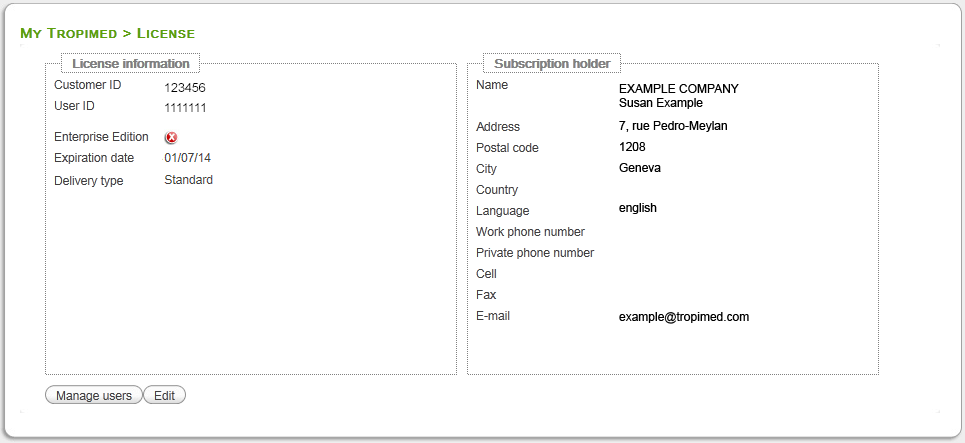
Figure 1
- Go to Setup (in menu at top of page, on right)
- Click on View my account.
- You will see the display shown on Figure 1 containing your license information as well as the details of the account holder.
- Click on Edit to change any account holder details.
- Enter the information to change and click on Send request.
This change will take effect within 24 business hours.
Please note: The email address shown in your user account is the contact address of the subscription holder. It is not necessarily the email address that you use to log in. If you wish to change the email address of the administrative contact you must make the change from your user account.
On the other hand, if you wish to change the email address you used when you log in, you must make the change using this form (see also FAQ > Connect to Tropimed).
